Problem
Someone clocks in for a colleague
Solution
A face on the terminal, a selfie with a liveness check on the phone. Each employee is bound to one phone.
Built for Hikvision and Dahua face-ID terminals
SmartTime brings punches from face-ID terminals, the mobile app and Telegram into one log, builds the T-13 timesheet on its own and calculates payroll under the laws of Uzbekistan.
Why SmartTime
When attendance lives in one program, the timesheet in Excel and payroll in 1C, mistakes and disputes are inevitable. SmartTime turns that chain into one system.
Problem
Solution
A face on the terminal, a selfie with a liveness check on the phone. Each employee is bound to one phone.
Problem
Solution
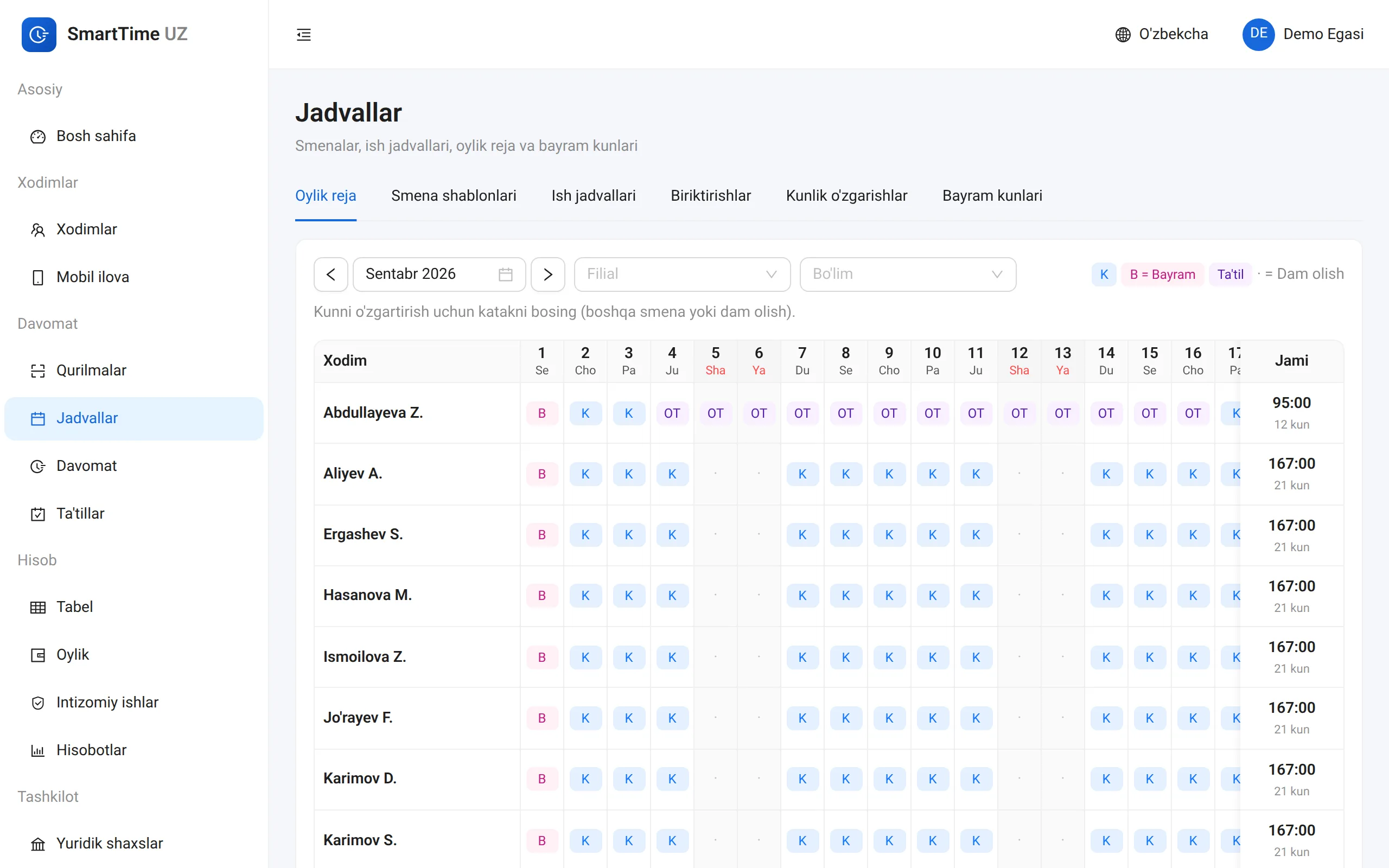
Each day is calculated as soon as a punch arrives, and the T-13 timesheet builds itself. No manual copying.
Problem
Solution
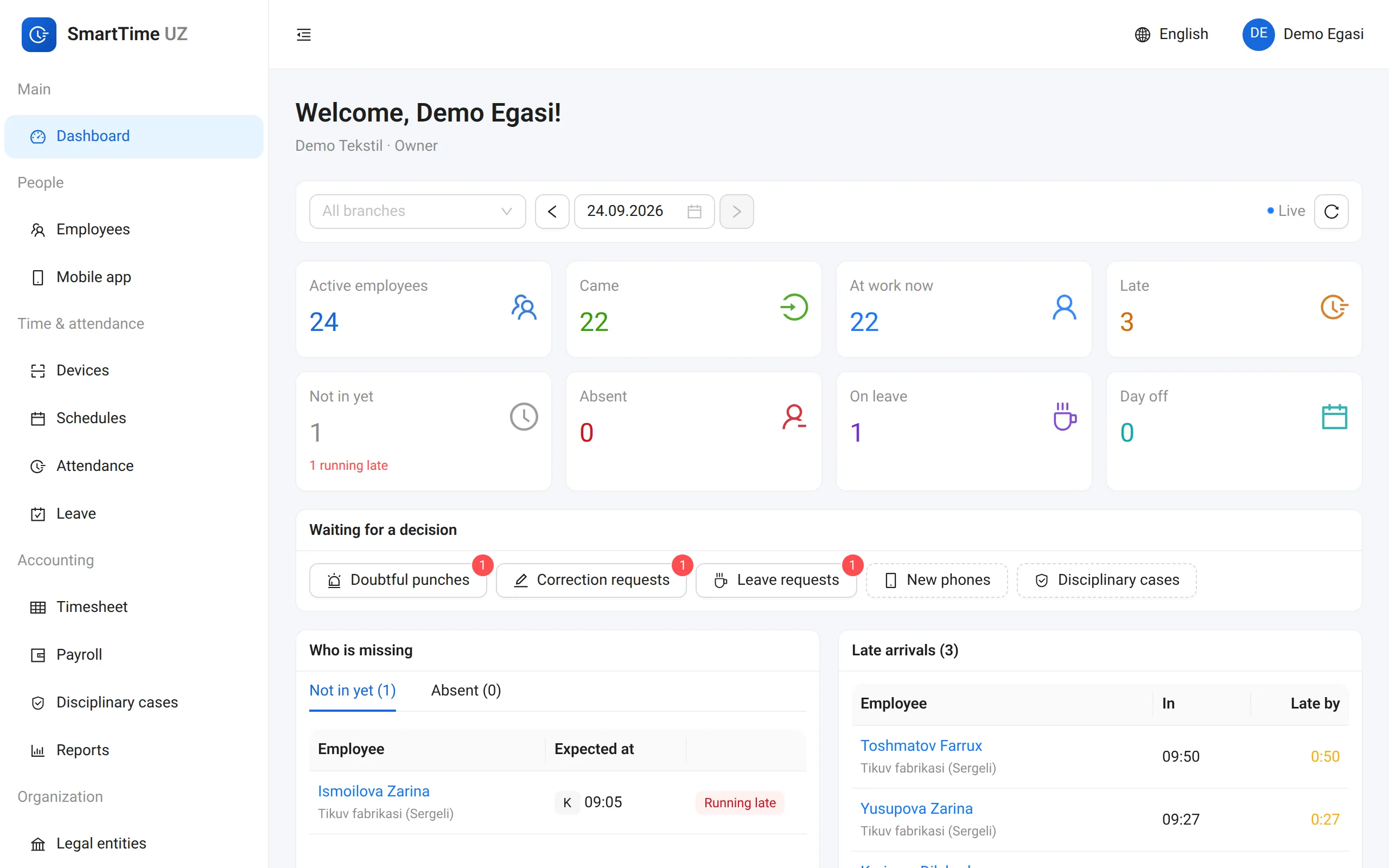
A live dashboard: who is in, who is late, who is absent — for every branch. In the field — GPS geofences.
Problem
Solution
A disciplinary procedure: explanation, order, acknowledgement. Legal limits are enforced automatically.
Problem
Solution
Terminal → attendance → timesheet → payroll → 1C and the bank. One continuous chain.
Problem
Solution
The gateway stores punches locally and delivers them without loss once the connection is back.
How it works
Hikvision, Dahua and ZKTeco terminals connect through the gateway. No need to replace any hardware.
Import employees from Excel or straight from the terminal. Set shifts up once: 5/2, 2/2, 24-hour, night.
Every punch counts right away: late arrivals, early leaves, overtime, night hours. At month-end the T-13 is ready.
Salary, hourly and piece rates; personal income tax, INPS and social tax; advances. Then export to 1C and a bank registry.
Face-ID terminals
SmartTime gateway
Office network · offline buffer
SmartTime
Cloud (UZ) or on-prem
Features
HR, accounting and management all look at the same numbers.
Who is in, who is late, who hasn’t arrived yet — by branch and department, live.
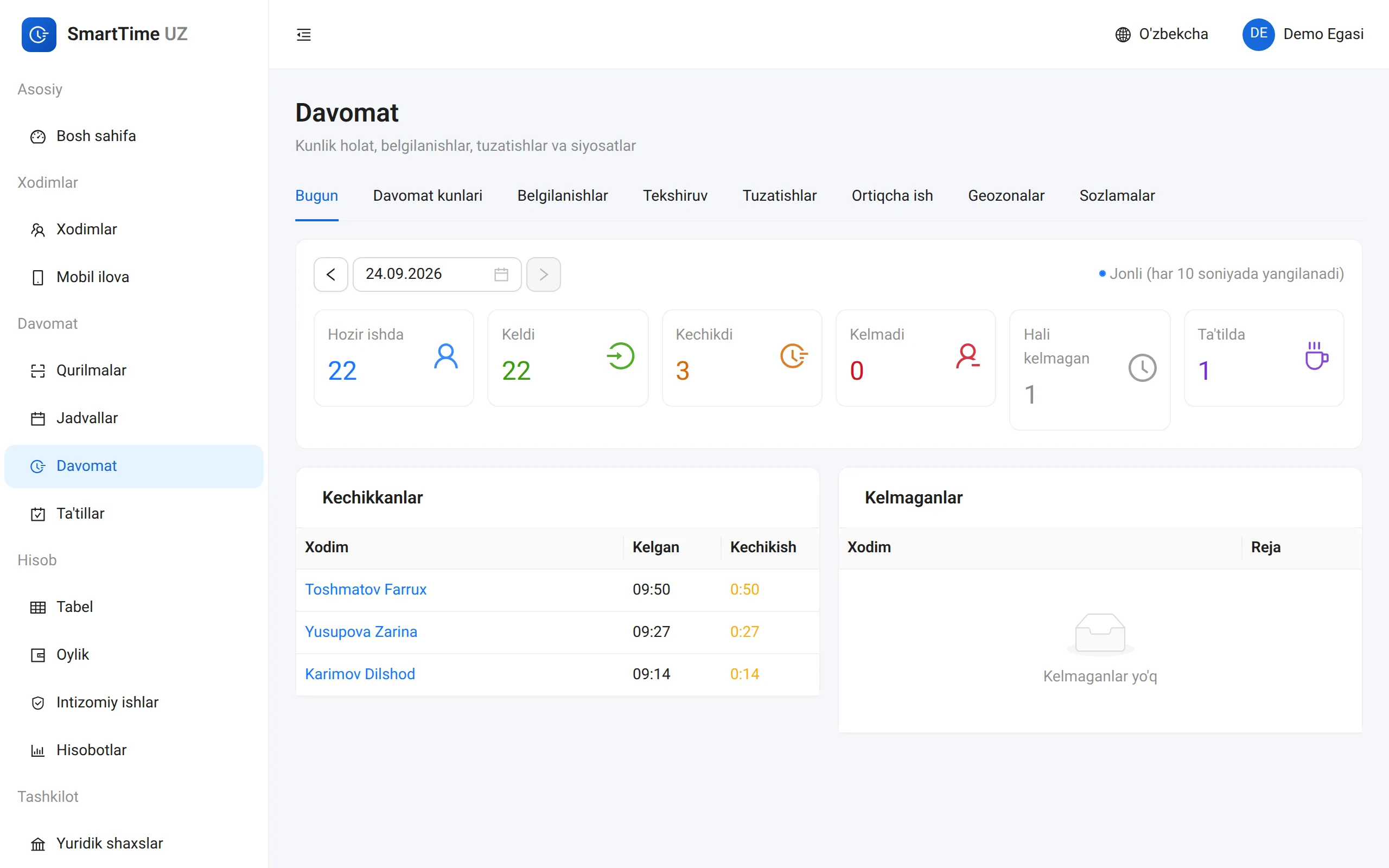
Hikvision, Dahua, ZKTeco. Employees and their photos are pushed to the terminal automatically.
GPS geofences, selfie with liveness, an offline queue. For field and remote staff.
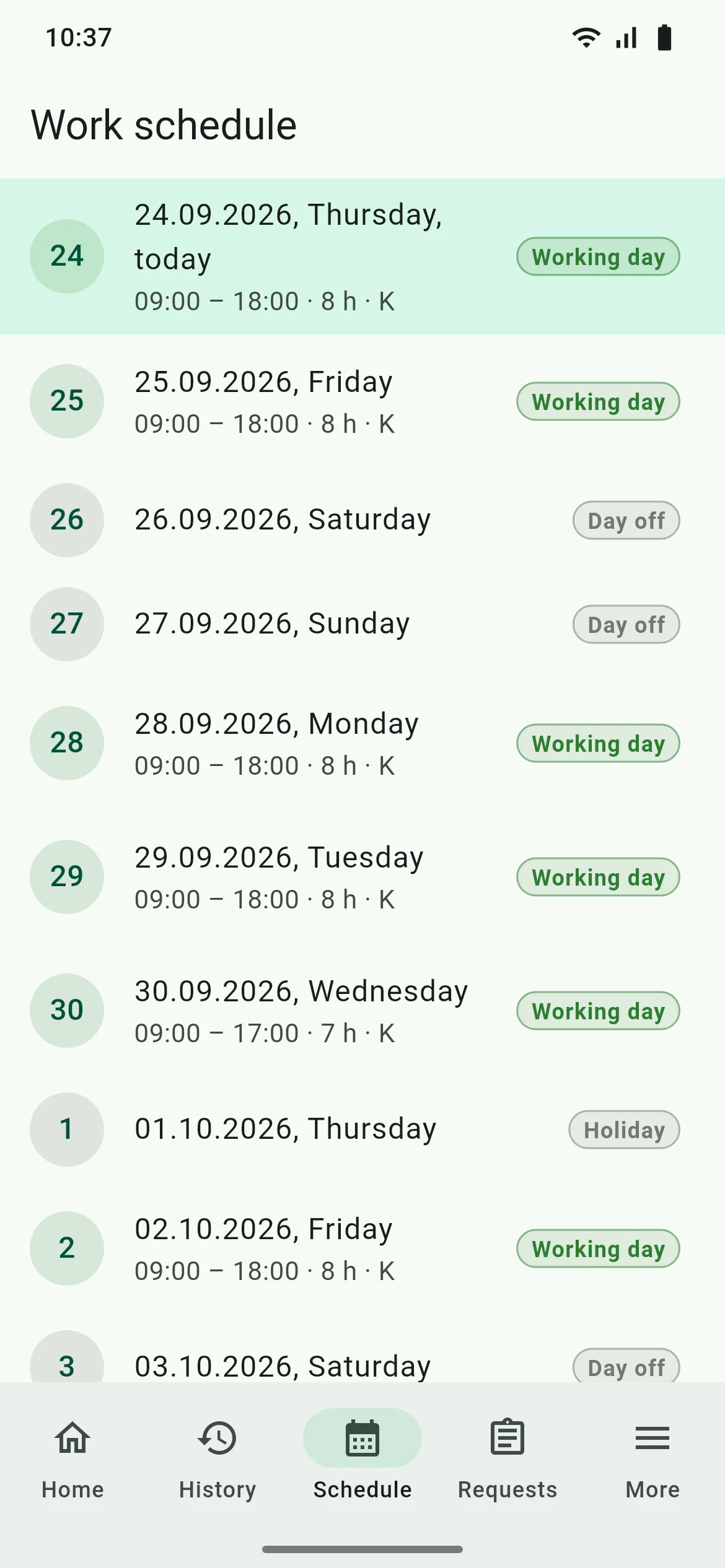
Check in and out with live location. Timesheet, leave requests and payslips.
One tablet for a whole workshop: QR badge or PIN, with a selfie when required.
5/2, 6/1, 2/2, 24-hour, flexible and free schedules. A night shift lands on the right day.
Builds itself, then gets approved and locked. Excel, PDF and CSV for 1C.
Advance and final runs, piece rates and crew splits. Every amount comes with its formula.
Explanation request, order, acknowledgement — as the Labour Code requires.
Requests, approvals and balances. Approved leave flows into the timesheet by itself.
Who is at work today, who is late, which terminal is offline — at a glance.
Attendance and labour-cost reports, with export to Excel.
Permissions by branch and department. Every change goes into a log nobody can delete.
Terminals
The SmartTime gateway speaks the terminals’ own protocols: Hikvision ISAPI, Dahua CGI/RPC2 and ZKTeco ADMS. The terminals you already own gain new capabilities.
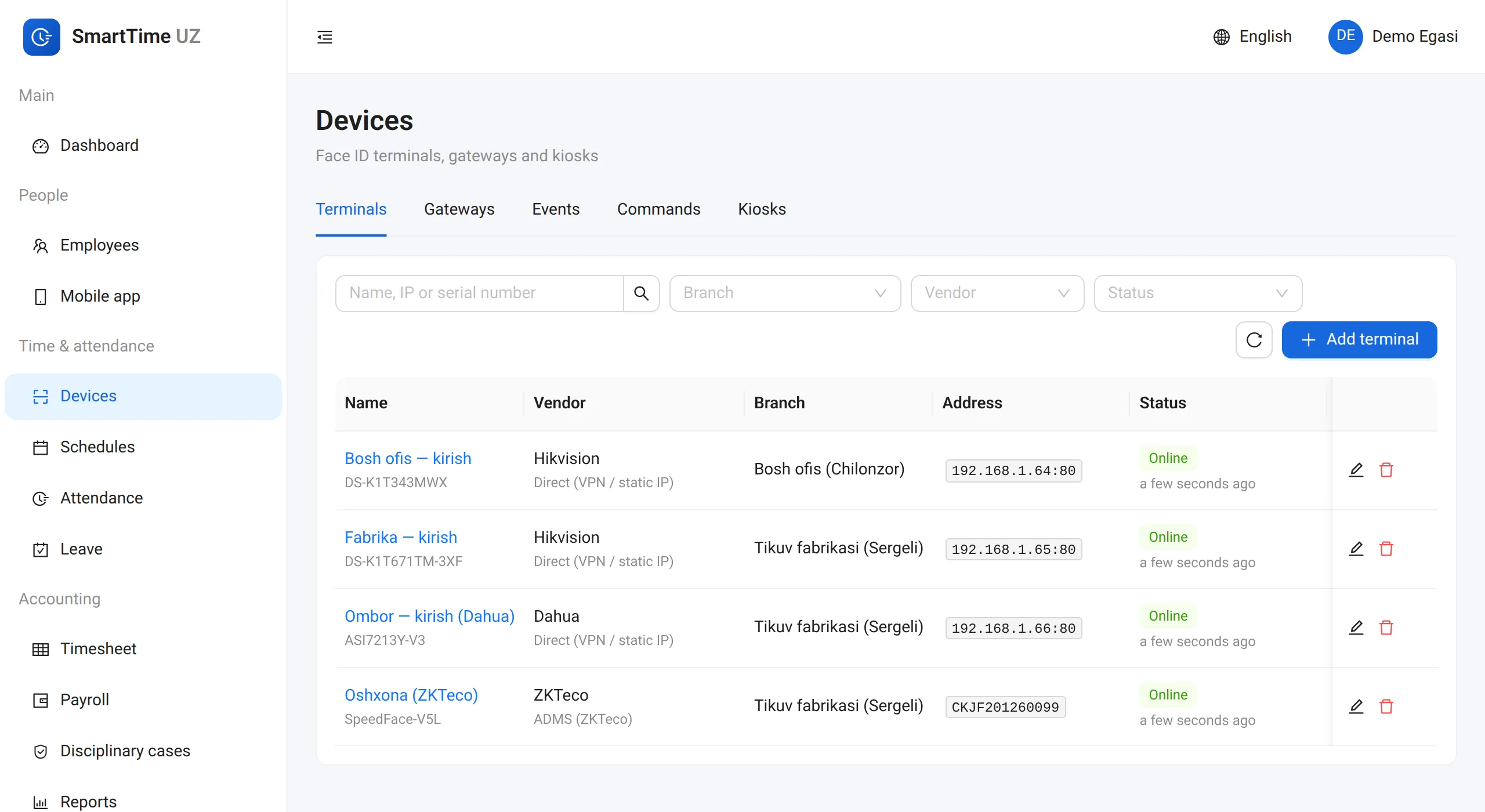
Edge agent
Direct
Push
ADMS
Punches wait in the gateway queue. Missed events are backfilled from the terminal’s memory every 5 minutes and on every reconnect.
Even when an event arrives by two routes, the log holds a single punch.
Add an employee and they appear on the terminal. Dismiss them and they are removed.
Users already enrolled on a terminal are matched with employees and linked in one click.
Online or offline, with a warning when the clock drifts. A terminal silent for 15 minutes triggers a Telegram message.
Photos are checked on upload: exactly one, large enough face must be in the frame.
We check that your terminal model and firmware are compatible during the demo.
Mobile app and Telegram
Field, sales and remote staff clock in from a phone or in Telegram. SmartTime catches the fakes.
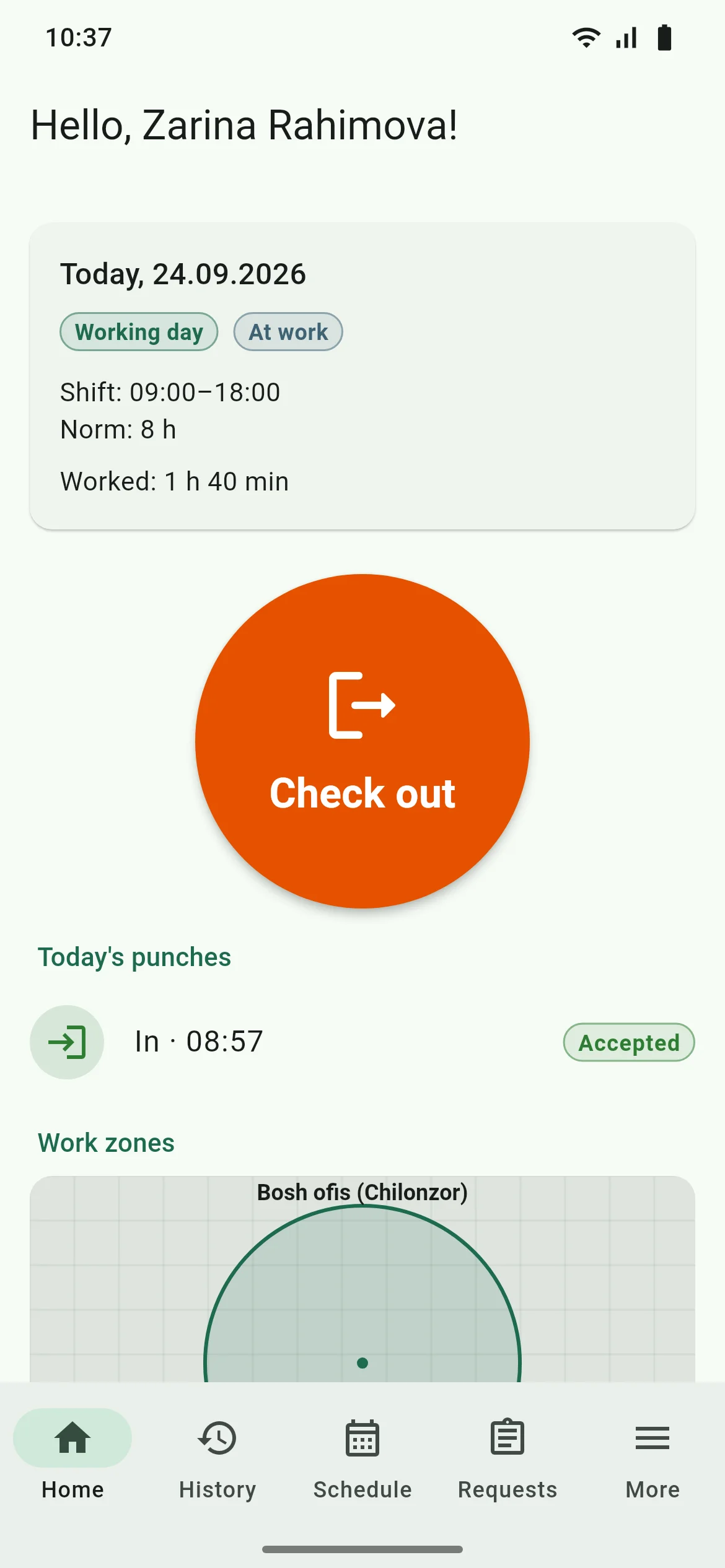
Android. iOS coming soon.
SmartTime
bot
☀️ 24.09.2026 — Demo Tekstil
In: 21, late: 2, absent: 1, on leave: 1
Late:
• Ergashev S. — 12 min
• Hasanova M. — 7 min
Absent:
• Aliyev A.
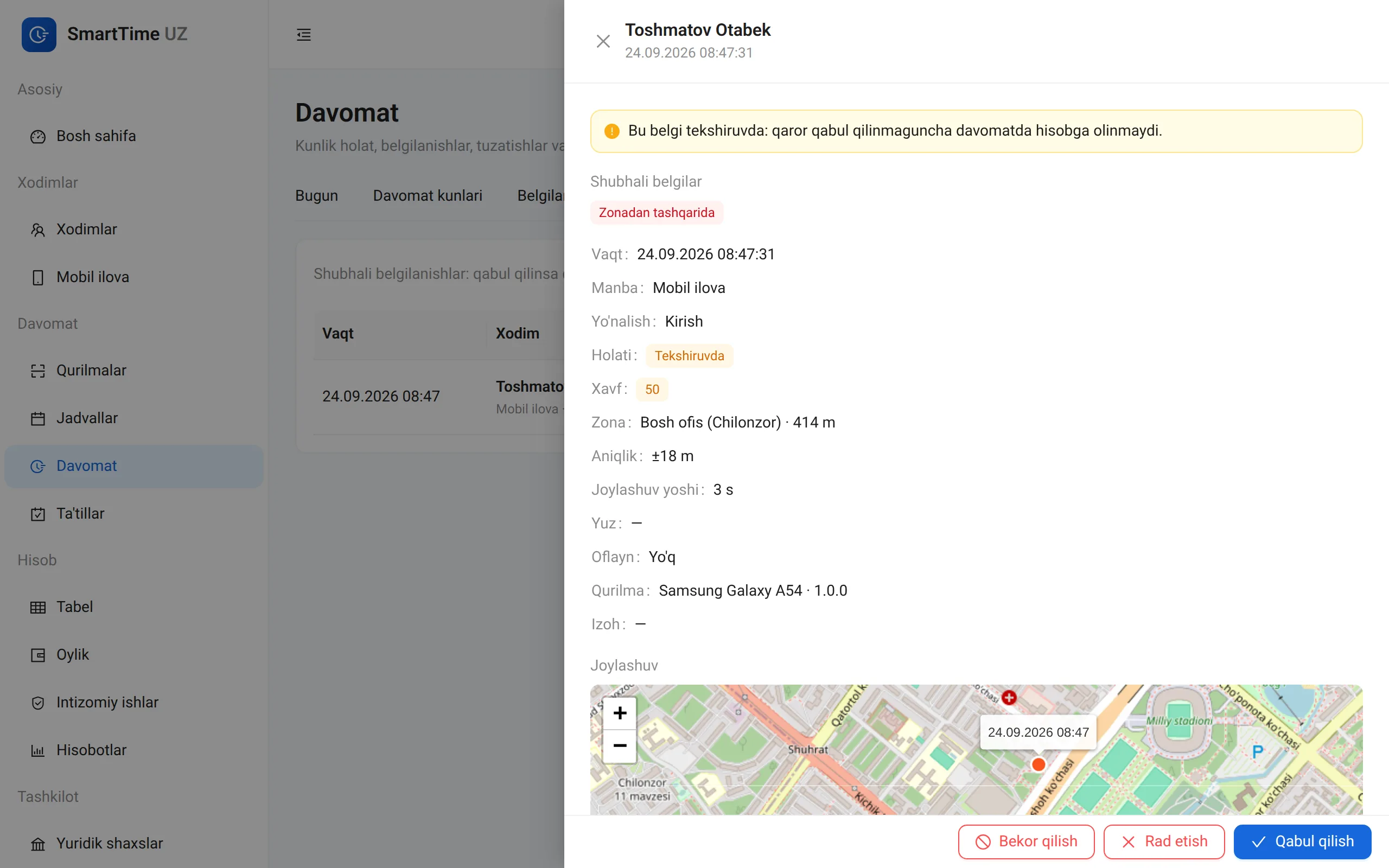
09:30🟡 Review: Yusupova Nilufar, in 09:04
Reason: outside the zone
📍 Tikuv fabrikasi: 240 m
09:41⚠️ Terminal offline: Fabrika — kirish (Tikuv fabrikasi), last seen 10:12.
10:27Location accuracy, mock-GPS signs, face match and device integrity are weighed together. Suspicious punches go to a manager for review.
Timesheets and payroll
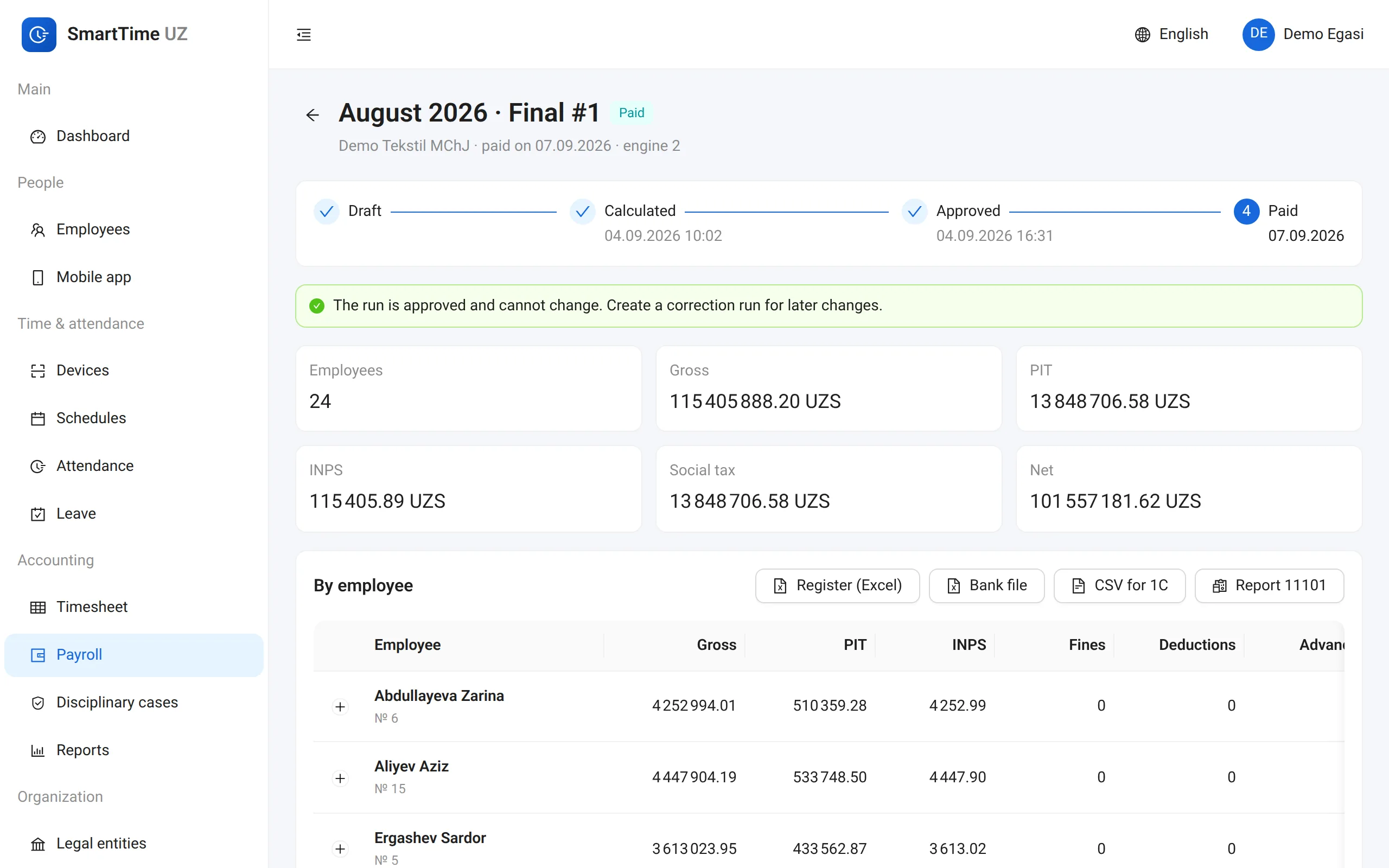
The timesheet builds itself from punches, and payroll runs once the timesheet is approved. Open any amount to see exactly how it was calculated.
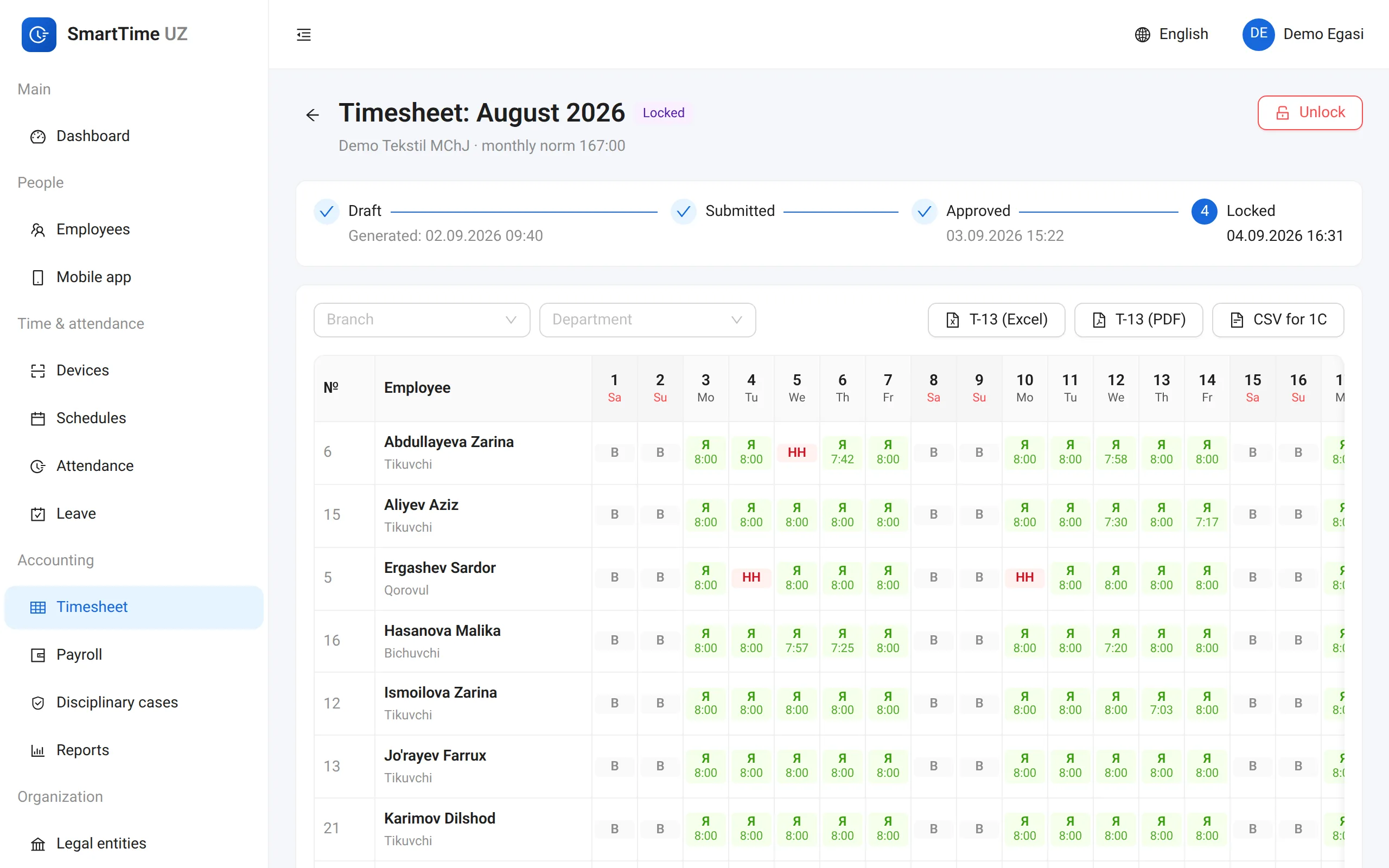
Compliance and security
A face photo reaches the terminals only with the employee’s consent. If consent is withdrawn or the employee leaves, it is removed from the terminals.
The cloud edition runs in a data centre in Uzbekistan. Or on your own server (on-prem), if you prefer.
Terminal passwords, card numbers and face templates are stored encrypted.
Every change to attendance, timesheets and payroll is recorded with who, when and why. The log cannot be altered.
Owner, admin, HR, accountant, manager — everyone sees only their own branch or department.
Overtime, night and holiday coefficients, fine limits and leave never fall below the legal minimums.
Did you know?
SmartTime applies these rules in its calculations automatically.
40 hours
Normal working time may not exceed 40 hours a week. SmartTime warns you about it when you build a schedule.
Labour Code, Article 182
22:00–06:00
Work during these hours is paid at least 1.5 times the normal rate. SmartTime counts night hours separately.
Labour Code, Articles 188 and 264
1.5× → 2×
The first two hours a day are paid at least 1.5 times, any further hours at least double. In force since November 2025.
Labour Code, Article 262
2×
Work on such a day is paid at least double or, if the employee prefers, compensated with another day off.
Labour Code, Article 263
16 days
Wages are paid at least once every half month, with no more than 16 days between payments.
Labour Code, Article 253
30%
A disciplinary fine may not exceed 30% of average monthly earnings (up to 50% under internal work rules). One sanction per offence.
Labour Code, Article 312
21 days
Basic annual leave is at least 21 calendar days. SmartTime keeps the leave balance for you.
Labour Code, Article 217
UZ
Biometric data such as face images must be stored on servers located in Uzbekistan.
Law “On Personal Data”, Article 27¹
For information only. The official text is on lex.uz. As of September 2026.
Who it’s for
Hundreds of employees, shifts, piece rates and crew splits.
Many branches, 2/2 shifts, a tablet kiosk.
GPS geofences, selfies, works without internet.
Clock in through Telegram with live location.
24-hour duty shifts, night hours, public holidays.
Flexible schedules, remote work, leave.
Deployment
Quick to start, updates are automatic. Data lives in a data centre in Uzbekistan.
The whole system runs on your server with Docker. Data never leaves your company.
If your terminals are on the office network, the gateway runs right next to them, while the system itself runs in the cloud or on your server.
Pricing
The price depends on the number of employees, branches and the deployment type. Leave a request and we will prepare an offer that fits.
Monthly subscription
Based on headcount
On your own server
Licence by agreement
For groups and holdings
Custom terms
Free demo: we show the system on the example of your own processes.
FAQ
Hikvision (ISAPI), Dahua (HTTP CGI and RPC2) and ZKTeco (ADMS/PUSH). We check your model and firmware for compatibility during the demo.
No. SmartTime connects to the terminals you already have and imports the users enrolled on them, matching them with your employees.
The gateway in your office keeps punches in a local queue and sends them once the connection is back. Missed events are also backfilled from the terminal’s memory. The mobile app likewise keeps a punch made offline.
In the cloud edition — in a data centre in Uzbekistan. On-prem — entirely on your own server.
A face image is biometric data, and processing it requires the employee’s consent. SmartTime records that consent: without it, the photo never reaches a terminal. Cards, a PIN or a QR badge work as alternatives.
Yes. Timesheet and payroll data export as CSV for 1C, and the bank registry and pay sheet export to Excel.
The Android app is ready now, and the iOS version is coming soon. The Telegram bot works on any phone.
The app detects mock locations, rooted phones and emulators, and runs a selfie with a liveness check. A suspicious punch is not counted — it goes to a manager for review.
Yes. A night shift belongs to the day it starts, and hours between 22:00 and 06:00 are counted separately. Rotations (2/2, 3/3), 24-hour duty and flexible schedules are supported.
From the approved timesheet: salary, hourly, daily or piece rates; overtime, night and holiday coefficients; personal income tax, INPS and social tax; advances. You can open the formula behind any amount.
Only through the disciplinary procedure: an explanation request, an order and acknowledgement, within the legal limit. The alternative is bonus-reduction rules announced in advance. SmartTime supports both.
After a demo and a short call we draw up a plan: connecting terminals, importing employees, setting up schedules and a trial period. We train your team.
The web dashboard, mobile app and Telegram bot work in Uzbek, Russian and English. Each user picks their own language.
Demo
Leave a request — we will get in touch and agree on a time for the demo.